
A practical framework for sharing EMDR equipment across a clinic, including responsibility, setup, cleaning, storage, faults and clinical handover.
Sharing EMDR Equipment Across a Group Practice: What to Plan
A practical framework for sharing EMDR equipment across a clinic, including responsibility, setup, cleaning, storage, faults and clinical handover.
Sharing EMDR Equipment Across a Group Practice: What to Plan
When several clinicians share one EMDR system, the equipment moves from being an individual tool to a small piece of clinical infrastructure. That creates practical questions that do not arise when one practitioner controls the setup: Who checks it? Who cleans it? Where are the components stored? What happens when a cable or tapper behaves differently? And how are client preferences communicated without turning yesterday’s settings into today’s prescription?
A simple group-practice plan can reduce uncertainty while keeping the clinical decisions with each appropriately trained practitioner.
Each clinician remains responsible for determining whether EMDR is appropriate for the client, which phase of treatment they are undertaking and whether a particular form of bilateral stimulation is clinically suitable. Familiarity with the controller is not a substitute for EMDR training.
EMDRIA describes EMDR as a clinician-led psychotherapy and its approved basic-training framework includes instruction, supervised practicum and consultation. A group practice should therefore distinguish clearly between permission to access the equipment and competence to use it within EMDR treatment.
Shared responsibility can easily become unclear responsibility. Nominate a person—or a clearly defined rotating role—to oversee the practical condition of the system. This is not a clinical supervisor role. It is an equipment-management function that may include:
A shared clinic benefits from a consistent physical setup. Labelled cables, a defined storage location and an agreed connection sequence can reduce avoidable errors. A brief visual guide can show where the lightbar, tappers and optional headphones connect to the controller.
What should not be standardised is a single “best” speed, amplitude, travel length or modality for every client. Starting settings may be documented for continuity, but the next practitioner—or the same practitioner at the next appointment—still needs to check comfort, accessibility and clinical suitability.
Before the equipment passes to another clinician, return it to an agreed neutral state. Depending on the system and clinic, this may include stopping the active set, lowering adjustable outputs, disconnecting headphones, visually inspecting cables and returning all components to their labelled positions.
The purpose is not to erase useful clinical information. It is to prevent the next user from assuming that the previous configuration is appropriate or from beginning with an unexpectedly high output.
Tappers, headphones and controls may be handled by different people across the day. The clinic should have a written, risk-based cleaning process consistent with current infection-prevention guidance, organisational policy and the equipment manufacturer’s instructions.
Do not assume that a stronger chemical is automatically safer. Liquids, abrasive products or incompatible disinfectants may damage electronic components or surface finishes. Cleaning responsibilities should be explicit: practitioners need to know what is done between clients, what is done at the end of the day and how to report a component that cannot be cleaned adequately.
If a component is intermittent, label it and remove it from use rather than leaving the next clinician to rediscover the problem during a session. A simple equipment log can record the date, component, observed behaviour, checks performed and resolution.
Avoid putting identifiable client information in the equipment log. The clinical record should document information relevant to that client’s care; the equipment log should contain only what is necessary to identify and resolve the technical issue.
When care is transferred between practitioners, relevant client preferences may support continuity: for example, that visual tracking caused strain, that the client found tactile input clearer or that an alternative stop signal was required.
Settings can be included when clinically relevant, but they should be treated as historical information rather than instructions. The receiving practitioner needs to make an independent assessment within their professional role, scope, training and therapeutic relationship.
A shared system is useful only when it is available, complete and ready. A booking process should allow enough time for setup, cleaning and return—not merely the appointment itself. If the system moves between rooms, consider tripod stability, power access, cable routes, lighting and the clinician’s ability to observe the client each time.
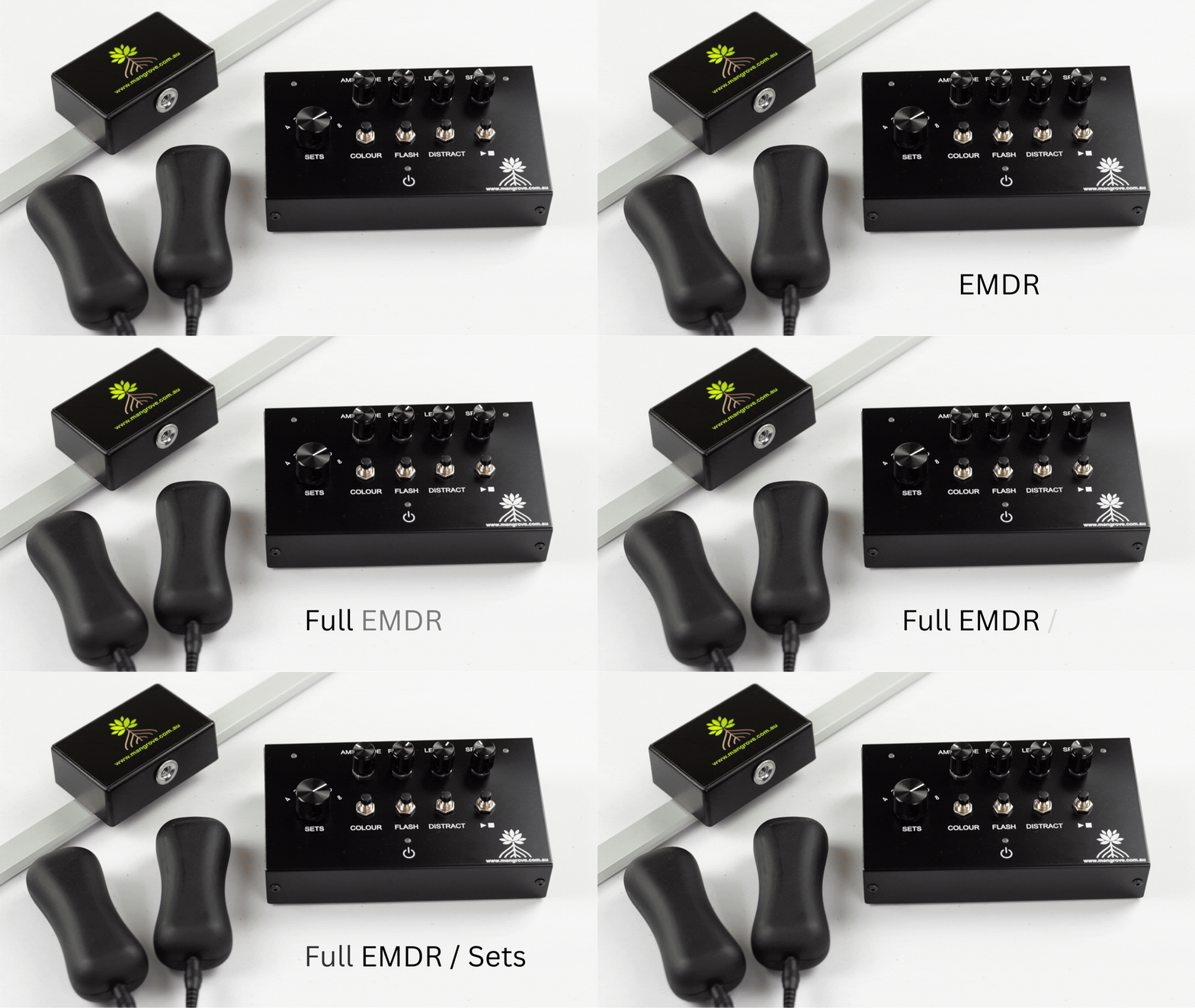
For Mangrove’s Simple EMDR Set, the core arrangement includes a master controller, lightbar, two wired tappers and optional stereo headphone output. Because the components connect physically, an inventory and connection check are particularly helpful when the set is transported or shared.
Group practices do not need a complicated equipment-management system. They do need clarity. When the physical setup, cleaning responsibilities and fault process are predictable, each practitioner can give more attention to the client and the clinical work.
Share the equipment. Standardise its care. Keep treatment decisions individual.
This article provides general educational information for appropriately trained practitioners. It is not a treatment protocol, infection-control procedure or substitute for professional training, manufacturer instructions, organisational policy, supervision or clinical judgement.
Alternating bilateral stimulation should be clearly distinguishable from side to side. If one tapper feels weaker, one headphone channel seems quieter or the timing appears uneven, the safest response is not to compensate immediately by increasing intensity. Stop and check what is happening.
An apparent left–right difference can come from the equipment, a connection, headphone orientation, how a component is being held or fitted, or the client’s sensory experience. A brief, neutral check can help identify the practical issue without turning the equipment into a diagnostic tool.
Pause bilateral stimulation before touching plugs, moving headphones or changing controls. Ask the client to describe the difference in concrete terms:
Avoid suggesting that asymmetry has a psychological meaning. The immediate task is to determine whether the stimulation is functioning as intended and remains acceptable to the client.
The Mangrove Inspired Simple EMDR Set connects two wired tappers to separate sockets on the master controller and provides a stereo headphone output for auditory stimulation. Before testing again:
Do not connect or disconnect components while a set is running. If a plug or cable appears damaged, remove it from clinical use and seek product support rather than trying to hold it in a working position.
On the Mangrove system, the tapper LEDs indicate which side is active and change brightness with the amplitude setting. These indicators help confirm that the controller is sending an alternating signal, although they do not measure how the client experiences the pulse.
A simple check can proceed as follows:
If the reported difference consistently follows one tapper, cable or socket, stop using the affected component and contact the supplier. If the difference remains on the same side of the client after the tappers are swapped, that observation may be clinically relevant, but it is not a diagnosis and should not be interpreted by the equipment alone.
Tappers may feel different when one is gripped tightly, held against a different part of the hand or partially cushioned by clothing or another object. Ask the client to hold both in a comparable, comfortable way without requiring a forceful grip.
Do not increase amplitude on both sides simply to overcome an uncertain difference. First establish that the components are working consistently and that the client’s grip and contact are comparable.
Auditory bilateral stimulation depends on separate left and right stereo channels. If one side is quieter or missing:
Do not solve a quieter side by raising the overall volume to an uncomfortable level. Mangrove recommends headphones or an accessory with volume control because its stereo output is strong. Hearing differences, tinnitus or sound sensitivity may also influence the client’s experience and require appropriate clinical judgement or referral.
When visual, tactile and auditory modalities are used together, the phase control changes the timing of the tapper and audio signals relative to the lightbar. This can make the modalities feel deliberately offset even when each component is functioning correctly.
If the concern is that the light, sound and taps do not appear simultaneous, check the phase position before treating the experience as a fault. Phase changes timing relationships; it should not be used to correct a genuinely weak or missing channel.
Set a component aside and contact support when:
Clinical sessions are not the place for improvised electrical repairs. Use another verified modality or postpone equipment-assisted stimulation if necessary.
If an uneven signal affected the session, document what the client reported, the clinically meaningful response and what was used instead. Detailed warranty or troubleshooting information can be kept separately from the clinical record.
An uneven left–right experience does not automatically mean that the equipment has failed, and it should not be given an automatic clinical interpretation. Stop, clarify the difference, check the physical setup and retest briefly at a conservative level. If the problem follows a component, remove it from use. If it follows the client’s side, respond with appropriate clinical judgement rather than trying to “balance” it by force.
This article is intended for trained practitioners and provides general information only. It does not replace product instructions, accredited EMDR training, supervision, medical or audiological assessment, or individual clinical judgement.
A practical explanation of lightbar travel length, how it differs from speed and why the visual path should be adjusted without treating it as a clinical dose.
What Does Lightbar Travel Length Mean in EMDR Equipment?
Lightbar “length” refers to the total distance travelled by the illuminated dot from side to side. It does not describe the physical length of the lightbar, the duration of a set or the speed of movement.
That distinction is useful because travel length changes the visual path the client follows. It is an equipment adjustment—not a clinical dose—and there is no single travel length that is automatically right for every person, room or stage of treatment.
On the Mangrove Simple EMDR controller, the length knob changes the dot’s total horizontal travel and keeps that travel centred on the lightbar. At its maximum setting, the path extends to 66 centimetres.
A shorter setting creates a narrower left-to-right path around the centre of the bar. A longer setting uses more of the available visual width. The physical lightbar stays in the same position; only the distance travelled by the light changes.
Speed describes how quickly the moving dot travels. Length describes how far it travels. Although these controls perform different functions, they interact on the Mangrove system: shortening the travel path can increase the apparent movement rate if the speed control is left unchanged.
For that reason, Mangrove’s operating guidance recommends setting amplitude and travel length before making the final speed adjustment. If length is changed later, recheck the resulting pace rather than assuming the previous speed setting still produces the same experience.
Travel length is easier to assess after the lightbar has been positioned for the client. A path that seems modest when the bar is further away may feel much wider when it is closer. Chair position, viewing distance, lightbar height and angle all influence how readily the client can follow the dot.
Set up the tripod or mount securely, seat the client in their usual position and check that the centre of the lightbar is easy to view without an awkward head or neck position. The client should not need to turn their whole head simply because the selected path exceeds what is comfortable for them to track.
Before relying on a visual setting during clinical work, demonstrate it without suggesting what the client should experience. Begin with a clearly visible, moderate path and pace, then invite specific feedback:
The purpose of this check is equipment familiarisation and comfort. It is not a substitute for EMDR preparation, case conceptualisation or trained clinical assessment.
If the visual experience needs refining, changing one control at a time makes the result easier to interpret. For example, adjust travel length while leaving colour and brightness-related settings unchanged, then recheck speed because the movement rate may have shifted.
Making several changes together can make it unclear whether the client is responding to path width, pace, colour, room lighting or the lightbar’s position. Small, deliberate adjustments help keep the conversation precise and the technology in the background.
A longer visual path is not automatically more therapeutic, and a shorter path is not automatically gentler or less effective. EMDR is a structured psychotherapy, not an equipment setting. The type and length of bilateral stimulation sets vary between clients, and the clinician chooses how to proceed based on training, observation and the client’s report.
The lightbar’s length control exists to make the visual path adjustable. It should not be used to imply a guaranteed clinical effect or a universal formula.
If the lightbar, tripod or chairs have been moved, do not assume the previous setting will look the same. Recheck viewing distance, centring and travel length from the client’s position. The same applies when equipment is transported between consulting rooms.
A brief visual check before the session can confirm that the dot remains centred, travels smoothly and stops when expected. If the client reports visual discomfort or cannot follow the path comfortably, pause and reassess rather than asking them to persist.
An adjustable lightbar allows the visual path to suit different room layouts and client presentations. Its value lies in practical flexibility: the clinician can select a clear, observable path and refine it without moving the entire device.
As with every equipment control, travel length supports delivery. Accredited training, client feedback and professional judgement determine whether and how visual bilateral stimulation is used.
Explore the Mangrove Simple EMDR Set, including its adjustable RGB lightbar, tactile tappers and optional stereo audio.
An RGB lightbar can offer several colour choices, but the colour control should be understood for what it is: a way to change the appearance and visibility of the moving light. It is not a selector for different therapeutic effects.
On the Mangrove Simple EMDR system, the clinician can choose from ten lightbar colours. That flexibility can help the moving dot remain easy to see in different rooms and can accommodate straightforward client preferences. It should not be used to promise that a particular colour is calming, activating or clinically superior.
The lightbar still provides a moving visual stimulus regardless of which available colour is selected. Speed controls how quickly the dot moves, while travel length controls how far it moves from side to side. Colour changes its visual presentation.
This means a colour change does not alter the number of sets, the tactile amplitude, the audio signal or the phase relationship between modalities. Keeping those controls conceptually separate helps practitioners adjust the system deliberately.
A colour that is clearly visible in one consulting room may appear less distinct in another. Ambient lighting, daylight, wall colours, reflections, viewing distance and the lightbar’s angle can all influence what the client sees.
Position the lightbar first, then view it from the client’s chair. Check whether the moving dot is distinct across the full selected path without requiring the client to strain or search for it. If the room changes—or the equipment is transported—recheck the colour rather than assuming the previous choice will look identical.
Ten options do not need to become a lengthy decision. A practical demonstration might compare two or three clearly visible colours and ask a neutral question such as, “Which is easiest for you to follow?”
Avoid suggesting that the client should find blue relaxing, red energising or another colour emotionally meaningful. Those expectations can shape feedback and turn a simple visibility check into an unintended interpretation exercise.
If the client has no preference and can follow the dot comfortably, there may be no reason to continue cycling through colours. The goal is a workable setting, not finding a supposedly perfect one.
Client preference can help make equipment feel less intrusive and may identify a colour that is easier to perceive. It does not establish that the selected colour changes treatment efficacy.
Research and professional guidance recognise that EMDR may use visual, tactile or auditory bilateral stimulation and that modality choices can be shaped by individual needs and preferences. That supports thoughtful choice without justifying unsupported claims about the therapeutic properties of individual colours.
When checking a colour, keep speed, travel length and lightbar position stable. This makes it easier to tell whether the colour itself improves visibility.
If the dot remains difficult to follow, do not assume colour is the only issue. Consider:
A clear equipment demonstration can help separate these practical factors.
A client should not be encouraged to persist with a colour or visual modality that is difficult or uncomfortable to follow. Stop, check what they are experiencing and reassess the equipment or modality in accordance with accredited EMDR training and clinical judgement.
Colour selection does not replace screening, preparation or observation. Nor does it make visual stimulation suitable for everyone.
Changing colours repeatedly during processing can draw attention to the equipment itself. Unless a change has a clear practical reason, a stable, visible setting may be less distracting.
If an adjustment is needed, make it deliberately and check the client’s response. The technology should support the clinician’s work rather than become the focus of the session.
The Mangrove lightbar’s colour control provides useful flexibility for different rooms and individual visual preferences. Its value lies in helping the moving dot remain clear and acceptable to the client.
No colour should be marketed or selected as a guaranteed route to a particular emotional or therapeutic outcome. The equipment presents the stimulus; the trained clinician guides the therapy.
Explore the Mangrove Simple EMDR Set, including its adjustable RGB lightbar, tactile tappers and optional stereo audio.
Seven practical questions for comparing EMDR equipment, from modalities and control quality to room fit, warranty, local support and long-term cost.
Choosing EMDR Equipment in Australia and New Zealand: A Practical Checklist
What’s a personal mantra or philosophy you live by?
Find you "usefulness"
On the Mangrove Simple EMDR controller, amplitude adjusts the strength of the tactile signal delivered through the hand-held tappers. It also affects the duration of each pulse. That makes amplitude an important comfort and perception control—but it should not be confused with the emotional intensity of therapy or the effectiveness of EMDR.
A stronger pulse is not automatically better, and a gentler pulse is not automatically less useful. The practical aim is a clear, tolerable alternating signal that fits the client, the task and the clinician’s trained judgement.
Turning the amplitude control changes how strongly each tapper is felt. On the Mangrove system, the red and green tapper LEDs also change brightness, providing a visible indication of when each side is energised and the relative amplitude setting.
The tappers continue to alternate left and right. Amplitude changes the tactile character of each pulse; it does not select the number of cycles, determine the lightbar path or change which side comes next.
The word “intensity” can create confusion. In equipment terms, it may refer informally to how strong a vibration feels. In therapy, however, emotional activation, distress and processing are different matters.
The amplitude knob does not measure or prescribe those clinical experiences. It controls a physical output. EMDR remains a structured psychotherapy in which tactile stimulation is one possible form of dual attention bilateral stimulation.
Before using the tappers during clinical work, demonstrate them without suggesting that the client should prefer a particular strength. A simple sequence is:
This process is equipment familiarisation, not a protocol. The clinician remains responsible for readiness, consent, observation and the clinical use of bilateral stimulation.
A tactile pulse can be perceptible without being comfortable. Useful feedback may include whether it feels too sharp, too strong, too faint, uneven or distracting. Hand position can also change the experience: gripping tightly may feel different from resting the tappers loosely in the palms.
Consider relevant sensory, pain, skin, joint or hand-comfort factors within your scope of practice. If the client does not want tactile stimulation or finds it uncomfortable, another modality may be more appropriate. Equipment choice should not override informed client feedback.
Amplitude and speed are separate controls, but the experience of a tactile pulse can change when the overall pace changes. A setting that feels clear at a slower rate may feel different when pulses occur more quickly.
On the Mangrove controller, amplitude can also affect the resulting speed relationship, so the operating guidance recommends setting amplitude and lightbar travel length before finalising speed. After adjusting one control, briefly recheck the combined output rather than assuming everything else feels unchanged.
Perform a short function check with both tappers connected. Confirm that they alternate, that both outputs are perceptible and that the indicator LEDs correspond with the active side. If one tapper seems absent or markedly different, check the connections before increasing amplitude.
Do not use extra strength to compensate for a loose plug, damaged cable or incorrectly connected accessory. Remove damaged equipment from use and follow the manufacturer’s support guidance.
During a session, avoid making large unexplained changes. If an adjustment is clinically appropriate, pause or use the controls in accordance with your training, make a modest change and check the client’s response.
Changing one variable at a time makes feedback easier to interpret. If amplitude, speed and phase are all changed together, it may be unclear which difference the client is noticing.
Adjustable amplitude makes tactile bilateral stimulation more flexible. Its purpose is to help the practitioner provide a signal that can be clearly perceived without assuming that every client should use the same setting.
The equipment controls the pulse. Accredited EMDR training, client preference, observation and professional judgement guide its clinical application.
Explore Mangrove’s Simple EMDR and Simple ABS systems, both of which use the same master controller and tactile tappers.
Choosing EMDR equipment for an Australian or New Zealand practice is not simply a comparison of feature lists. A system needs to fit the clients you see, the room in which you work and the way you deliver EMDR—while remaining straightforward to operate, maintain and obtain support for.
EMDR may use visual, tactile or auditory dual-attention stimulation. Eye movements are commonly used, while tapping, tactile stimulation and alternating tones are also established options. The useful purchasing question is therefore not “Which device has the most functions?” but “Which system gives this practice dependable, clinically usable options?”
Begin with your present caseload and consulting environment. A lightbar may suit clients who engage comfortably with visual tracking. Tappers can provide an option when sustained visual attention is tiring or impractical. Alternating audio can add another pathway when it is appropriate for the client and the clinical plan.
Ask whether modalities can be purchased or added separately, whether they can operate together when clinically appropriate, and whether one controller manages the system. Expandability may be more valuable than paying immediately for accessories that will remain unused.
Controls should allow purposeful adjustment without diverting attention from the client. During a demonstration, check how readily you can start and pause stimulation, alter pace, change tactile strength, adjust brightness or audio level, and switch modalities.
A wide numerical range is not automatically better. What matters is whether adjustments are predictable, fine enough to be clinically useful and easy to repeat. Controls should make sense during a live conversation, not only when reading the manual.
Measure the available space before ordering. Consider the lightbar’s usable visual path, stand or tripod footprint, cable routing, distance from the client, access to power and whether the equipment can be positioned without creating a trip hazard or a barrier between clinician and client.
For practitioners moving between locations, examine total packed size, weight, setup time and how components are protected in transit. Portability is not only about being small; it is about arriving ready for dependable clinical use.
Where possible, handle the tappers, listen through the headphones and view the lightbar before purchase. Consider weight, texture, cable pull, vibration quality, visual glare and adjustability. Ask how client-contact components are cleaned and confirm that the recommended products and methods suit your practice’s infection-control procedures.
Obtain the warranty terms, repair process and expected support pathway in writing. Useful questions include:
Australian consumer guarantees are separate from voluntary warranties and cannot simply be replaced by them. New Zealand also has statutory consumer protections, although how they apply can depend on the purchase and whether it is made for business use. Practitioners should check the terms relevant to their circumstances rather than relying only on a warranty headline.
Equipment delivers stimulation; it does not provide EMDR training, decide when reprocessing should begin or replace supervision and clinical judgement. Be cautious about marketing that implies a device alone produces therapeutic outcomes. A responsible supplier should describe the equipment accurately and recognise the role of trained practitioners.
Compare more than the purchase price. Include delivery, currency conversion, taxes or import costs where applicable, replacement accessories, batteries or power supplies, cleaning requirements, repair freight and the likely cost of downtime. Local access to support or parts may outweigh a lower upfront price.
Ask the supplier to demonstrate the tasks you will perform most often—not only the system’s headline features. Bring a short checklist, try the controls in sequence and request written answers about warranty, service and compatibility. The best EMDR equipment for an Australian or New Zealand practice is the system that fits the clinical setting, can be adjusted without friction and is supported after the purchase.
Sources: EMDR Institute: Dual Attention Stimuli, Australian Competition and Consumer Commission: Consumer rights and guarantees, and New Zealand Consumer Protection: Consumer Guarantees Act.
This article provides general purchasing information for trained practitioners. It does not constitute clinical, legal or financial advice, and it does not replace EMDR training, individual assessment or applicable professional obligations.